
Case study · Plugin
Pet Weight Calculator
A lightweight calculator tool built as a reusable WordPress plugin and embedded via shortcode for easy demos and deployment.
At a glance
- Problem
- Calculator logic written as page scripts or shortcode callbacks ends up tied to WordPress globals, duplicated across pages, and hard to test.
- What I did
- A layered plugin: pure-PHP domain logic, a validated and cached REST endpoint, and a shortcode whose assets load only where it is used.
- Result
- One self-contained plugin, reusable on any site, with the calculator logic covered by PHPUnit tests that run without WordPress.
The project
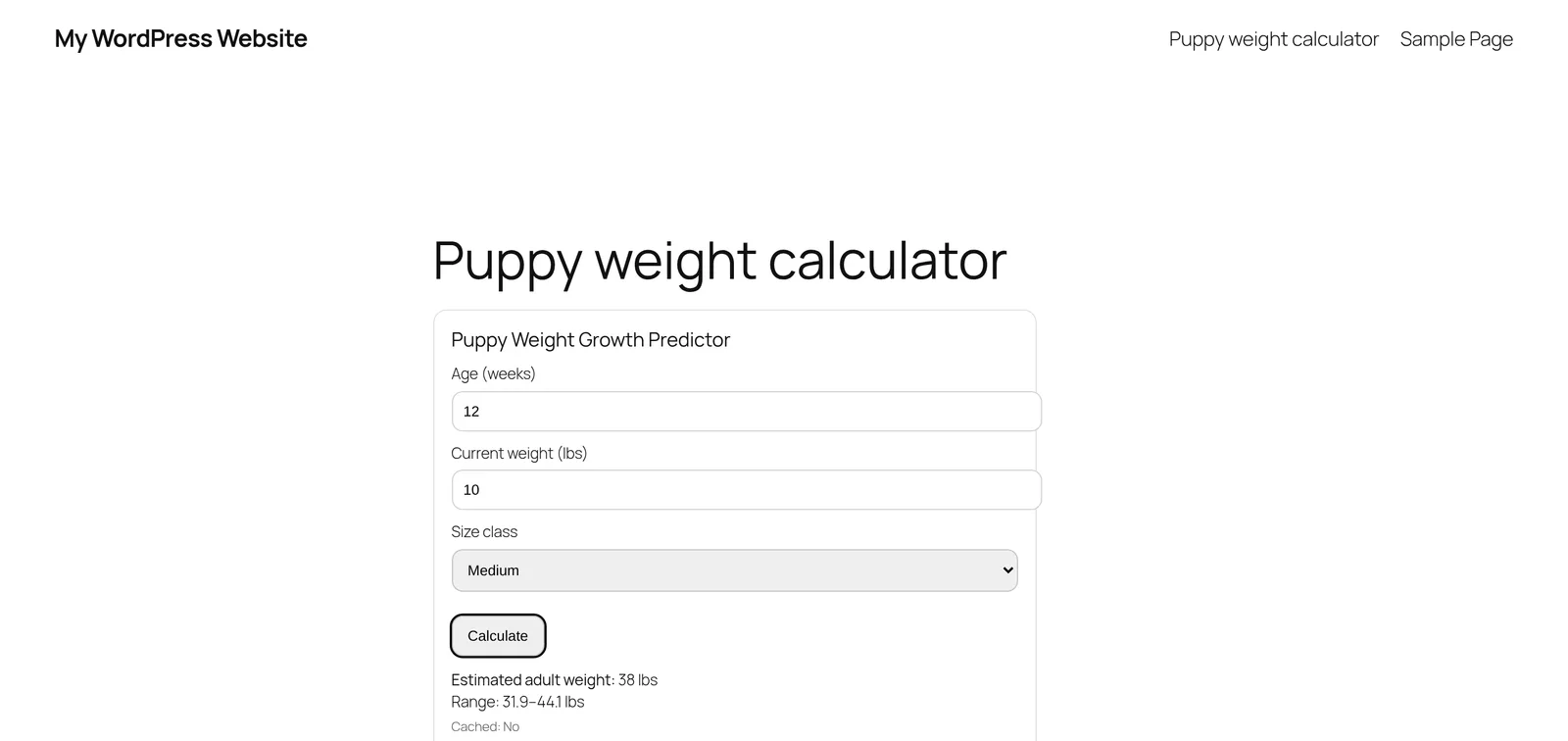
The Pet Weight Calculator is a custom-built web tool designed to be embedded seamlessly into WordPress sites. It provides an intuitive, low-friction way for users to estimate a puppy’s adult weight based on age and size inputs.
This project was conceived, designed, and developed end-to-end as a modular plugin, with a focus on performance, security, and ease of integration for content-driven websites.
01 Context and challenge
The problem
Many WordPress “tools” start as page-specific scripts or shortcode callbacks and slowly accumulate:
- Tight coupling to WordPress globals
- Duplicated logic across pages
- Performance issues at scale
- Fragile editor experiences
- Difficult-to-test business logic
This project avoids those traps by designing the feature as a software system, not a snippet.
Goals
- Create a simple, user-friendly calculator with immediate visual feedback
- Build the tool as a reusable WordPress plugin rather than page-specific code
- Ensure compatibility with page builders and WYSIWYG editors
- Avoid performance issues, unsafe inline scripts, or security flags
- Allow the calculator to be embedded via shortcode for demos and live use
My role
I built this project independently, handling the full lifecycle from concept to deployment.
- Product concept & logic design
- Front-end UI structure and interaction patterns
- Custom WordPress plugin architecture
- Shortcode-based embedding for flexible placement
- Performance and security considerations (WordPress-safe implementation)
02 Technical implementation
Development approach
The calculator was built as a standalone WordPress plugin to ensure portability and clean separation from theme code. The front-end interface is rendered via shortcode, allowing it to be placed anywhere within a page builder or editor without breaking layout or triggering security warnings.
All logic is encapsulated within the plugin itself, keeping templates clean and avoiding direct script injection in content areas. This approach makes the tool easy to demo, maintain, and reuse across multiple sites.
Architecture
Four stacked layers, each depending only on the one below: WordPress UI (shortcodes, blocks, admin settings); WordPress integration (REST controllers, asset loading, permissions, nonces, escaping); infrastructure (caching, analytics, logging); and the domain layer, pure PHP business logic with no WordPress dependencies.
From the code
public function predictAdultWeightLbs(
    float $currentWeightLbs,
    int $ageWeeks,
    string $sizeClass,
    ?string $sex = null
): array {
    // Basic internal sanity (REST boundary will do stricter validation later).
    $currentWeightLbs = max(0.1, $currentWeightLbs);
    $ageWeeks = max(1, $ageWeeks);
    $sizeClass = strtolower(trim($sizeClass));

    $multiplier = $this->model->adultMultiplier($ageWeeks, $sizeClass);
    $estimate = $currentWeightLbs * $multiplier;

    $rangeFactor = $this->model->rangeFactor($sizeClass);
    $min = $estimate * (1.0 - $rangeFactor);
    $max = $estimate * (1.0 + $rangeFactor);

    return [
        'adult_weight_lbs_min' => $this->round1($min),
        'adult_weight_lbs_max' => $this->round1($max),
        'adult_weight_lbs_est' => $this->round1($estimate),
        'multiplier'           => $this->round2($multiplier),
        'age_weeks'            => $ageWeeks,
        'weight_lbs'           => $this->round1($currentWeightLbs),
        'size_class'           => $sizeClass,
    ];
}// Validation (keep strict here; domain layer stays clean and predictable)
if ($ageWeeks < 1 || $ageWeeks > 104) {
return new WP_Error('pettools_invalid_age', 'age_weeks must be between 1 and 104.', ['status' => 400]);
}
if ($weightLbs <= 0 || $weightLbs > 500) {
return new WP_Error('pettools_invalid_weight', 'weight_lbs must be greater than 0 and realistic.', ['status' => 400]);
}
$allowed = ['toy', 'small', 'medium', 'large', 'giant'];
if (!in_array($sizeClass, $allowed, true)) {
return new WP_Error('pettools_invalid_size_class', 'size_class must be one of: toy, small, medium, large, giant.', ['status' => 400]);
}
$cacheKey = $this->cacheKey([
'age_weeks' => $ageWeeks,
'weight_lbs' => $weightLbs,
'size_class' => $sizeClass,
'sex' => $sex,
]);
$cached = $this->cache->get($cacheKey);
if (is_array($cached)) {
return new WP_REST_Response([
'cached' => true,
'data' => $cached,
], 200);
}
$result = $this->calculator->predictAdultWeightLbs(
$weightLbs,
$ageWeeks,
$sizeClass,
$sex
);
// Cache 6 hours (tweak later)
$this->cache->set($cacheKey, $result, 6 * 60 * 60); public function enqueuePublic(): void
{
// Enqueue only on pages that contain the shortcode.
$post = get_post();
if (!$post || empty($post->post_content)) {
return;
}
if (!has_shortcode($post->post_content, 'pettools_puppy_weight')) {
return;
}
$ver = (string) ($this->config['version'] ?? '0.1.0');
wp_enqueue_style(
'pettools-tool',
$this->config['url'] . 'assets/src/css/tool.css',
[],
$ver
);How AI was used
Built mostly by prompting an AI coding tool. I set the requirements, including the layered architecture: calculator logic in plain PHP, a validated and cached REST endpoint, and a shortcode that loads its assets only where it’s used. I reviewed the code, sent it back to fix problems such as class autoloading and asset loading, and tested it myself.
Code
The public repository shows the plugin structure and implementation. Client-specific or production data is not included.
03 Final experience
Try it live
Opens a disposable WordPress site in your browser with the plugin installed and a demo page ready. Nothing to sign up for; it takes a few seconds to start.
Try it live : Pet Weight Calculator in WordPress Playground (opens in a new tab)
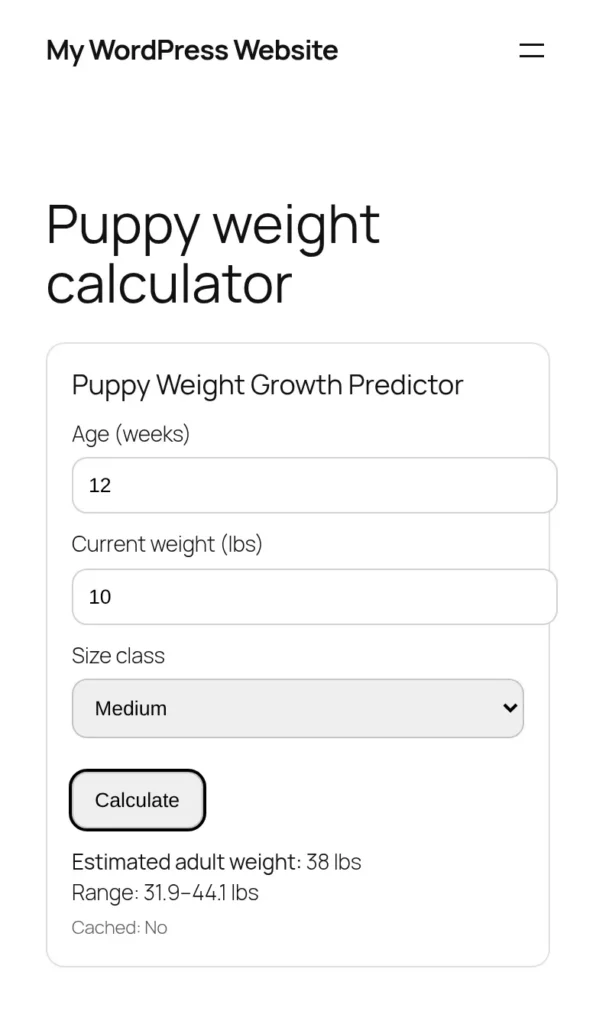
Screenshots
04 Outcomes and reflections
Results
- Delivered a fully self-contained WordPress plugin
- Clean, accessible user experience with instant feedback
- Safe for use with security plugins and managed hosting environments
- Easily reusable across multiple WordPress installations
This project demonstrates my approach to building lightweight, reusable tools that integrate cleanly into WordPress ecosystems without sacrificing performance or security.